Working from an Airbnb is one thing. Working from an Airbnb while your partner is also on a call in the next room — or sometimes the same room — is a different challenge entirely.
When you both work from home and your entire day runs on video calls, the Airbnb environment introduces problems that a home office never had. Thin walls. Open-plan layouts. A partner with a voice that carries. Background noise from the street, the neighbours, the building’s plumbing. And clients on the other end of the call who deserve a professional experience regardless of where you happen to be working from that month.
Over several years of remote working across multiple Airbnbs, we’ve built a setup that solves most of these problems — not perfectly, because nothing is perfect when you’re working from a temporary space in a new country, but well enough that our clients rarely know we’re not in a conventional home office. Here’s what that setup looks like and why each piece of it matters.
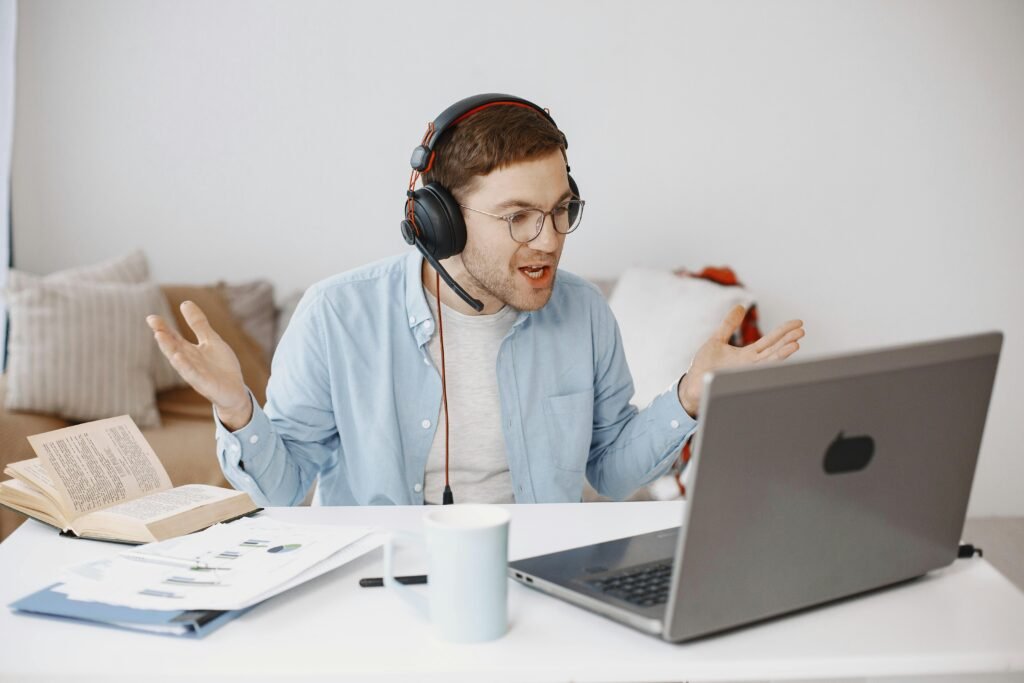
The Headphone Problem, and Why It’s the Most Important Thing to Get Right
If there’s one piece of equipment that transforms the video call experience for a remote worker in a shared space, it’s a good pair of noise-cancelling headphones. Not just for listening — though that matters — but for the microphone quality and, critically, for the active noise cancellation that prevents your partner’s voice, the street noise, and the neighbour’s television from bleeding into your client’s audio.
We used the Sony WH-1000XM3 for several years, and it was genuinely excellent — comfortable enough for an eight-hour working day, with noise cancellation that handled most Airbnb environments well. For anyone who hasn’t tried proper active noise cancellation for work, the experience of putting on a good pair of these headphones and having the world outside your call effectively disappear is difficult to overstate. It changes how you work, not just how you sound.
Recently we upgraded to the Sony WH-1000XM6, and the improvement is noticeable across every dimension that matters for professional use. The noise cancellation is significantly stronger — in environments where the M3 was good, the M6 is exceptional. The microphone quality is better, which matters on calls where your client is assessing your professionalism partly through audio. And the overall sound quality, for the hours of listening between calls, is in a different league.
The comfort question is worth addressing honestly, because it’s relevant: the M6 fits my head well and I find it comfortable for long days. My partner, who has a slightly larger head, finds it quite tight and notices it more over a full day of wear. If comfort is a primary concern or you’re unsure about fit, it’s worth trying them in a store before committing, or checking the return policy when ordering online. The M3 was broader in its fit and may still be the better choice for people who find the M6 clamping pressure uncomfortable.
Two People, One Space, Both on Calls
This is the specific challenge that most remote work articles don’t address, because most remote work advice assumes you’re working alone.
When two people are on video calls simultaneously in the same space, the problem isn’t just your background noise reaching your client — it’s your partner’s voice reaching your client, and yours reaching theirs. Even with good noise cancellation, a nearby voice speaking at normal volume will bleed through on cheaper headphones or microphones.
The combination that’s worked best for us: both wearing proper noise-cancelling headphones with dedicated microphones, seated as far apart in the apartment as the layout allows, ideally with some soft furnishing (a sofa, a bookshelf, curtains) between us to absorb rather than reflect sound. This doesn’t eliminate the problem entirely, but it reduces it to the point where it’s manageable.
When the space doesn’t allow for physical separation — which happens more often than you’d like in compact Airbnbs — we stagger calls where possible, so we’re not both speaking simultaneously. It requires some calendar coordination, but it’s become a natural part of how we manage the working day.
Switching from Zoom to Google Meet — and What We Added to Make It Work
For a long time, both of us used Zoom for client sessions. It’s a reliable platform with excellent background noise filtering built in, and for anyone who runs long calls and doesn’t mind the subscription cost, it remains a strong option.
The cost, though, is real. Paid Zoom for calls of 50 to 60 minutes adds up over a month, and after reviewing what we were actually using versus what the subscription provided, it made sense to switch to Google Meet — which covers everything we need for our session lengths and is included with a Google Workspace account at a much lower cost.
The one meaningful downside of Google Meet compared to Zoom is the background noise filtering. Zoom’s built-in noise suppression is genuinely good. Google Meet’s is more basic, and in noisier Airbnb environments, the difference is noticeable.
The solution we found — and it’s been one of the best tools we’ve added to the setup — is Krisp AI.
Krisp AI: The Addition That Changed Everything
Krisp is a noise cancellation application that runs on your computer and works with any video call platform — Google Meet, Zoom, Teams, anything. It sits between your microphone and the call, filtering background noise in real time before it reaches the other person.
The difference it makes is significant, but what makes it genuinely exceptional is that it works in both directions. It filters the noise on your end — the street outside, the partner in the next room, the Airbnb’s noisy plumbing — but it also filters the noise coming from your client’s end. When a client takes a call from a café, or is walking on a busy street, or has their own noisy environment, Krisp clears that audio too. What you hear is their voice, cleanly, without the surrounding context.
For anyone who works with clients in varied environments — which, if you work with enough people, is essentially everyone — this bilateral noise removal is quietly transformative.
Krisp also offers AI note-taking, which generates a transcript and summary of each meeting automatically. This is useful for client sessions where you want a record without the distraction of note-taking during the call itself, and it works without any additional setup once you’ve enabled it in the app.
Krisp operates on a subscription model with a free tier that covers a limited number of minutes per week. The paid tier is reasonably priced relative to what it delivers, particularly if you’re running multiple calls daily. For anyone who has switched to Google Meet from Zoom and noticed the noise filtering step down, Krisp effectively closes that gap — and in some respects surpasses what Zoom’s built-in filtering offers.
The Laptop Question, and Why It Eventually Made Sense to Upgrade
Hardware is a personal and often expensive decision, and we’re not suggesting everyone needs to do what we did. But for anyone who works from a laptop full-time and has been managing on an older Windows machine, the upgrade experience is worth sharing.
After several years on an HP laptop — which worked, but had accumulated the usual accumulation of slowness, fan noise, and the general fatigue of a device that’s been worked hard — we switched to a MacBook.
The adjustment period is real. If you’ve used Windows for years, macOS has a learning curve: keyboard shortcuts are different, the file system is organised differently, certain applications you rely on may have Mac alternatives rather than direct ports. This takes a few weeks to get comfortable with and can feel frustrating in the middle of a busy working period.
Once past that curve, the experience is genuinely different in ways that matter for day-to-day work. The build quality means it travels well and handles the wear of being packed and moved every few months. The battery life is significantly better than most comparable Windows laptops, which matters when you’re working from spaces where outlets aren’t always conveniently placed. The fan is virtually inaudible under normal load, which is a small but real improvement for video call audio. And the integration with other Apple devices, if you use them, streamlines a working day in ways that compound over time.
The old HP laptop, once wiped, was donated to a local church. This is always an option worth considering when upgrading — a working laptop that no longer serves your needs may be genuinely transformative for someone who has none. You can also sell it through local marketplaces or platforms like Back Market to offset some of the upgrade cost.
The Setup in Summary
For anyone working from Airbnbs long-term and looking to build a professional video call environment in whatever space you find yourself in, this is what’s worked for us:
- Noise-cancelling headphones — the Sony WH-1000XM6 is our current choice, with the M3 remaining a strong option for those who prioritise comfort over the tightest possible fit. Either makes a significant difference to both your audio quality and your ability to concentrate in a shared space.
- Krisp AI — essential if you use Google Meet or any platform without strong built-in noise suppression. Worth it even if you use Zoom, for the bilateral noise removal and note-taking features.
- Google Meet — a cost-effective alternative to paid Zoom for sessions under one hour, particularly when paired with Krisp for noise handling.
- A laptop you trust — whatever platform you’re on, a machine that’s reliable, quiet, and has good battery life removes one category of uncertainty from a working life that already has plenty.
None of this fully solves the challenges of working professionally from temporary spaces. But together, it gets close enough that the environment stops being the thing you’re managing and you can focus on the work itself.
Also check out:
- Wi-Fi, Workspaces and Staying Connected: The Long-Term Airbnb Remote Worker’s Guide
- How to Feel at Home in an Airbnb (Long-Term Stay Guide)
- How to Read Airbnb Reviews (And Spot What Guests Aren’t Saying)
- Moving to Tbilisi as an EU/Non-EU Couple: Honest Guide
Because when your Airbnb feels more like home, everyone wins.